Best Laptops Under ₹30,000 in India (2026)
By Savekarloo Expert
Expert Reviewer

Share Article
Best Laptops Under ₹30,000 in India (2026)
Navigating the laptop market under the ₹30,000 mark in India for 2026 requires a sharp eye for value and a clear understanding of your computing needs. This segment is no longer just about basic machines; it now offers surprising capabilities, from efficient processors for everyday tasks to unique operating systems and even some AI integration. While you won't find gaming powerhouses or professional creative workstations here, you can certainly secure a device perfectly suited for student life, home productivity, web-centric work, and light entertainment.
Our selections for this year focus on striking the ideal balance between performance, build quality, portability, and overall user experience within this tight budget. We've scrutinized specifications like RAM, storage type, processor capabilities, display quality, and battery life to identify laptops that genuinely deliver on their promise without excessive compromises. These aren't merely cheap alternatives; they are purpose-built machines designed to handle specific workloads efficiently and reliably.
Whether you're a student looking for a portable study companion, a professional needing a secondary device for presentations and email, or a home user seeking an affordable machine for browsing and media consumption, this guide will help you pinpoint the best fit. We’ve highlighted both the strengths and limitations of each model, ensuring you make an informed decision that aligns with your specific requirements and budget in the dynamic Indian market.
Quick Comparison
| Product Price | Rating | Discount | Best For Primebook 2 Neo 2025 (New Launch) ₹15,990 | 4.4 | 36% off | Android productivity, portability, unique OS experience | | Lenovo {SmartChoice Chromebook, Intel Celeron N4500 ₹15,990 | 3.8 | 56% off | Web-centric tasks, students, Google ecosystem users | | acer [SmartChoice Aspire 3 Laptop Intel Core Celeron N4500 Processor Laptop (8 GB LPDDR4X SDRAM/256 GB SSD/Win11 Home/38 WHR/HD Webcam) A325-45 with 39.63 cm (15.6") HD Display, Pure Silver, 1.5 KG | ₹29,990 | 3.4 | 14% off | Basic Windows tasks, students, home users needing more storage and RAM | | acer Aspire 3, Intel Pentium N6000, 12GB LPDDR4X RAM, 256GB SSD, HD, 15.6"/39.62cm, Windows 11 Home, Pure Silver, 1.5KG, A325-45, Thin and Light Laptop ₹26,990 | 3.4 | 41% off | General productivity, light multitasking, students, small businesses | | EBook 11.6" HD Laptop | Best Student & Office Work Laptop | Celeron N4020 | 4GB DDR4 | 128GB eMMC + M.2 SSD Expandable Slot | Win 11 Home |31Wh Battery | UHD Graphics 600 | Black | ₹11,990 | 3.3 | 52% off | Absolute budget, very basic web browsing/document editing |
Our Top Picks
1. acer Aspire 3, Intel Pentium N6000, 12GB LPDDR4X RAM, 256GB SSD, HD, 15.6"/39.62cm, Windows 11 Home, Pure Silver, 1.5KG, A325-45, Thin and Light Laptop

This Acer Aspire 3 stands out as a formidable contender in the sub-₹30,000 category, primarily due to its robust combination of the Intel Pentium N6000 processor and a generous 12GB of LPDDR4X RAM. This configuration is a rarity at this price point, offering a significant boost in performance for everyday computing tasks compared to its Celeron counterparts. The 256GB SSD ensures swift boot times and application loading, greatly enhancing the overall user experience, making it suitable for students and professionals alike who need a reliable machine for documents, browsing, and light multitasking. Its 15.6-inch HD display provides ample screen real estate for productivity and media consumption, wrapped in a lightweight 1.5KG chassis that maintains portability despite its larger screen size.
While the Pentium N6000 is a capable processor for its class, it’s essential to manage expectations. It's not designed for demanding tasks like heavy video editing, graphic design, or intensive gaming. The HD display, while large, doesn't offer the crispness of a Full HD panel, which might be a minor drawback for those accustomed to higher resolutions. Furthermore, the 3.4-star rating, while not critically low, suggests some users might have experienced minor quirks or have had higher expectations. It's crucial to understand that at this budget, some compromises are inherent, and for most general-purpose users, these limitations are quite acceptable.
This Acer Aspire 3 is an ideal choice for students, home users, and small business owners who require a versatile Windows laptop that can handle a variety of daily tasks without breaking the bank. Its 12GB RAM makes it exceptionally good for browser-heavy workflows, multiple open applications, and general office suite usage. If you prioritize snappy performance for multitasking and prefer the Windows ecosystem over Chrome OS or Android, and you don't need a Full HD screen, this laptop offers one of the best value propositions in its segment.
Pros:
- Excellent 12GB LPDDR4X RAM for superior multitasking
- Intel Pentium N6000 offers better performance than Celeron options
- 256GB SSD ensures fast boot and app loading
- Windows 11 Home out-of-the-box
- Large 15.6-inch display for productivity
- Lightweight (1.5KG) for its size
Cons:
- HD (not Full HD) display resolution
- Pentium processor still has limitations for intensive tasks
- Battery life might be average for a 15.6-inch display
View Full Review & Price | Check Price on Amazon
2. Primebook 2 Neo 2025 (New Launch) | 6GB RAM, 128GB Storage (Upgradable Upto 512GB) | MediaTek Helio G99 | Android 15 (PrimeOS3.0) | in-Built AI | 11.6” Thin & Light Laptop | Type-C, USB, MicroSD Ports

The Primebook 2 Neo 2025 stands out as a unique and highly compelling option, especially for users comfortable with the Android ecosystem, delivering exceptional value at its price point. Powered by the MediaTek Helio G99 processor, typically found in mid-range smartphones, and coupled with 6GB of RAM, this laptop offers a remarkably fluid experience for app-based productivity, web browsing, and media consumption. Running on Android 15 (PrimeOS 3.0), it provides access to a vast library of Android applications, making it incredibly versatile for students and casual users who rely heavily on mobile apps. The inclusion of in-built AI features hints at future-proofing and enhanced user interaction, while its 11.6-inch thin and light design ensures ultimate portability.
Despite its strengths, the Primebook 2 Neo is not a direct replacement for a traditional Windows laptop. Its PrimeOS, while polished, is still Android-based, meaning certain desktop-specific software or complex multitasking workflows might not be as seamless. The 128GB base storage, though upgradable, might feel restrictive for users accustomed to larger capacities, especially if they plan to store many large files locally. While the Helio G99 is powerful for Android, it won't match the raw processing power of an Intel Core i3 or even some Pentiums for CPU-intensive desktop applications, which is an important distinction for potential buyers.
This laptop is an excellent choice for students, educators, and anyone who primarily uses their laptop for web browsing, word processing, online learning, video conferencing, and consuming media through Android apps. If you appreciate the simplicity, cost-effectiveness, and app availability of the Android ecosystem, and prioritize portability and battery life, the Primebook 2 Neo offers an incredibly compelling package. It’s also a fantastic secondary device for Windows users who want a lightweight, instant-on companion for specific tasks without carrying a bulkier machine.
Pros:
- MediaTek Helio G99 offers strong performance for Android apps
- 6GB RAM ensures smooth multitasking
- Android 15 (PrimeOS 3.0) provides access to a vast app ecosystem
- Highly portable 11.6-inch thin & light design
- In-built AI features for enhanced usability
- Good connectivity with Type-C, USB, and MicroSD ports
- Upgradable storage (up to 512GB)
Cons:
- Android OS might not suit all traditional desktop workflows
- 128GB base storage is modest for some users
- Not suitable for intensive Windows-specific applications or heavy gaming
View Full Review & Price | Check Price on Amazon
3. acer [SmartChoice Aspire 3 Laptop Intel Core Celeron N4500 Processor Laptop (8 GB LPDDR4X SDRAM/256 GB SSD/Win11 Home/38 WHR/HD Webcam) A325-45 with 39.63 cm (15.6") HD Display, Pure Silver, 1.5 KG

This Acer Aspire 3 model is positioned as a solid, full-sized Windows laptop option right at the upper limit of our ₹30,000 budget. Its key strengths lie in its generous 8GB LPDDR4X SDRAM and a 256GB SSD, which together provide a very competent baseline for a smooth Windows 11 Home experience. For users who strictly need a traditional PC environment for everyday tasks like document creation, web browsing, emails, and online learning, this configuration ensures responsiveness and minimizes frustrating slowdowns. The 15.6-inch HD display offers a comfortable viewing area, and at 1.5KG, it remains reasonably portable for a laptop of its size.
However, the primary limitation of this model is its Intel Celeron N4500 processor. While adequate for basic tasks, it is a low-power, entry-level chip, meaning it will struggle with more demanding applications, heavy multitasking, or anything beyond light productivity. The 3.4-star rating from a significant number of reviews suggests that while it meets expectations for basic use, some users might find its performance less than stellar when pushed. Furthermore, the HD display, though large, lacks the sharpness and detail of a Full HD panel, which is a common compromise in this budget segment.
This Acer Aspire 3 is best suited for budget-conscious students, home users, or elderly individuals who need a straightforward Windows laptop for essential computing needs. If your primary activities include web surfing, using Microsoft Office applications, attending online classes, or handling emails, and you prioritize a larger screen and ample storage within a Windows environment, this laptop will serve you well. It's a reliable workhorse for those who don't demand high-performance computing but value a traditional laptop form factor and operating system.
Pros:
- 8GB LPDDR4X RAM for decent multitasking in Windows
- 256GB SSD provides fast storage and system responsiveness
- Comes with Windows 11 Home pre-installed
- Large 15.6-inch HD display for comfortable viewing
- Reasonably lightweight for its screen size (1.5KG)
- Suitable for general home and student use
Cons:
- Intel Celeron N4500 processor is entry-level and limits performance
- HD display is not Full HD
- Price is at the higher end of the ₹30,000 budget
View Full Review & Price | Check Price on Amazon
4. Lenovo {SmartChoice Chromebook, Intel Celeron N4500, 4GB RAM, 64GB eMMC, HD, 11.6"/29.46cm, Chrome OS, Blue, 1.21Kg, 2Wx2 Stereo Speakers, HD Camera, 82UY0014HA, Laptop

The Lenovo SmartChoice Chromebook is a fantastic entry point into the Chrome OS ecosystem, offering an incredibly affordable and efficient computing experience. Designed for simplicity and speed, it boots up quickly and handles web-based tasks with ease, thanks to the lightweight nature of Chrome OS. The Intel Celeron N4500 processor, while entry-level for Windows, is perfectly suited for Chrome OS, ensuring smooth performance for browsing, Google Workspace apps, and light media consumption. Its 4GB RAM and 64GB eMMC storage are standard for Chromebooks, as most work is done in the cloud. The 11.6-inch HD display and super-portable 1.21Kg weight make it an ideal companion for students and frequent travelers.
The main limitation here is the inherent nature of a Chromebook: it is primarily designed for online tasks and applications. While it supports Android apps, it cannot run traditional Windows or macOS software, which can be a significant hurdle for users with specific software requirements. The 64GB eMMC storage is minimal for offline files and large applications, though cloud storage integration mitigates this. The HD display, while adequate for an 11.6-inch screen, isn't particularly vibrant or high-resolution, and the Celeron N4500, despite performing well on Chrome OS, will still show its limits if too many demanding tabs or Android apps are run simultaneously.
This Lenovo Chromebook is an excellent choice for students, young learners, or anyone who lives primarily within the Google ecosystem and performs most of their computing online. If you need a secondary device for quick web access, email, online education, or basic document editing, its portability and long battery life are significant advantages. It's also perfect for users who value security and automatic updates without the complexities of a full desktop operating system, providing a hassle-free experience at a very attractive price point.
Pros:
- Chrome OS offers speed, simplicity, and strong security
- Highly portable and lightweight (1.21Kg)
- Intel Celeron N4500 is efficient for Chrome OS
- Excellent battery life for all-day use
- Affordable price point, making it highly accessible
- Integrated Google ecosystem support
Cons:
- Limited to web-based applications and Android apps (no Windows software)
- Only 64GB eMMC storage, though cloud-centric
- 4GB RAM can be a bottleneck with many tabs open
- HD display is not Full HD
View Full Review & Price | Check Price on Amazon
5. EBook 11.6" HD Laptop | Best Student & Office Work Laptop | Celeron N4020 | 4GB DDR4 | 128GB eMMC + M.2 SSD Expandable Slot | Win 11 Home |31Wh Battery | UHD Graphics 600 | Black

The Neopticon EBook enters the market as an ultra-budget Windows 11 laptop, primarily targeting users who need the absolute cheapest full-fledged PC experience. At a price point significantly below ₹15,000, it’s remarkable that it offers Windows 11 Home, an 11.6-inch HD display, and an M.2 SSD expandable slot alongside its 128GB eMMC. This expandable storage is a significant advantage, allowing users to upgrade for more space later without breaking the bank. Its compact size and lightweight design make it highly portable, catering well to students or those needing a very basic, travel-friendly machine for emails and web browsing.
The limitations of the EBook are largely a reflection of its extremely low price. The Intel Celeron N4020 processor is among the weakest available, meaning performance will be strictly limited to the most basic tasks. Multitasking will be a challenge, and patience will be required for even simple operations. With only 4GB DDR4 RAM, running multiple applications or browser tabs simultaneously will cause noticeable slowdowns. The 3.3-star rating with only 13 reviews suggests it's a niche product, and expectations for build quality and overall responsiveness should be tempered. This is a bare-minimum Windows machine.
This laptop is exclusively for buyers with the tightest budget who absolutely need a Windows environment for very light tasks. It's suitable for primary school students, seniors, or as a dedicated machine for simple tasks like online forms, basic word processing, or accessing government portals. If your usage involves minimal demands and your budget is non-negotiable below ₹12,000, the Neopticon EBook provides a functional, albeit basic, Windows 11 experience with the crucial option for storage expansion.
Pros:
- Extremely affordable price point (under ₹12,000)
- Comes with Windows 11 Home
- 128GB eMMC with an M.2 SSD expandable slot for future upgrades
- Highly portable 11.6-inch form factor
- Suitable for very basic student and office work
Cons:
- Intel Celeron N4020 processor is very slow
- Only 4GB DDR4 RAM, severely limiting multitasking
- Build quality and display might be basic
- Limited battery life (31Wh)
- Performance will be sluggish for anything beyond essential tasks
View Full Review & Price | Check Price on Amazon
Editor's Pick
Our Editor's Pick for the best laptop under ₹30,000 is the acer Aspire 3, Intel Pentium N6000, 12GB LPDDR4X RAM, 256GB SSD. Its exceptional 12GB RAM, paired with a Pentium N6000 processor and a 256GB SSD, offers the most balanced and capable Windows 11 experience in this price segment, providing significantly smoother multitasking and overall responsiveness compared to its Celeron-powered counterparts. This combination makes it the most versatile option for general productivity, student needs, and home use.
Buying Tips
Choosing a laptop under ₹30,000 in India means prioritizing your core needs, as every device at this price point involves some trade-offs. Here are a few practical tips to help you make the best decision:
- Define Your Primary Use Case: Before looking at specifications, determine what you'll use the laptop for most often. Is it for basic web browsing and emails, online classes, light office work, or consuming media? If it's primarily web-based, a Chromebook or an Android laptop like the Primebook might offer a snappier experience than a budget Windows machine. If you absolutely need specific Windows software, then your options narrow down to Celeron or Pentium-based Windows laptops.
- Prioritize RAM and Storage Type: For any operating system, 8GB RAM is generally preferable for a smooth experience, especially with Windows, allowing for more open tabs and applications. If 8GB is out of budget, 6GB can be a good compromise for Android/Chrome OS. Always opt for an SSD (Solid State Drive) over eMMC or HDD, even if it means sacrificing some storage capacity. An SSD dramatically improves boot times and application loading, making the laptop feel much faster. If budget forces eMMC, ensure it's at least 128GB and ideally expandable.
- Understand Processor Limitations: In this price bracket, you'll mostly find Intel Celeron, Intel Pentium, or MediaTek processors. Celeron N-series chips are for very basic tasks. Pentium N-series offers a slight but noticeable step up in performance for light multitasking. MediaTek processors, like the Helio G99 in the Primebook, are excellent for Android-based systems, providing a fluid app experience. Manage your performance expectations; none of these are powerhouses, but they are efficient for their intended purposes.
- Consider the Operating System: Chrome OS and Android-based laptops are often faster and more efficient on lower-spec hardware because they are lighter operating systems designed for web-centric and app-based usage. If you are comfortable with the Google ecosystem or Android apps, these can provide better value for money in terms of speed and battery life. If you require full compatibility with traditional desktop software, Windows is your only option, but be prepared for potentially slower performance on budget hardware. Always check for display resolution; a 15.6-inch HD display isn't as sharp as Full HD, but it might be acceptable if the larger screen size is a priority.
FAQs
Q1: Can I use these laptops for gaming? A1: No, laptops under ₹30,000 are generally not suitable for gaming beyond very casual, low-resource games. Their integrated graphics cards and entry-level processors lack the power for modern 3D games or even many older titles at playable frame rates. These machines are optimized for productivity, web browsing, and media consumption, not gaming performance.
Q2: What's the difference between SSD and eMMC storage? A2: SSD (Solid State Drive) is significantly faster and more durable than eMMC (embedded MultiMediaCard). SSDs use NAND flash memory, similar to high-end USB drives, offering much quicker boot times, application loading, and file transfers. eMMC is slower, more akin to smartphone storage, and can contribute to a sluggish experience, though it's cheaper and common in very budget-friendly laptops. Always prioritize SSD if possible.
Q3: Is 4GB RAM enough for a laptop in 2026? A3: For Windows laptops, 4GB RAM is generally considered the absolute minimum and will struggle with multitasking or running multiple applications smoothly. For Chromebooks or Android-based laptops, 4GB RAM can be adequate for basic web browsing and app usage due to the lighter nature of their operating systems. However, for a truly comfortable experience, especially with Windows, 8GB RAM is highly recommended.
Q4: Can I upgrade the RAM or storage on these budget laptops? A4: Storage is often upgradable on some models, particularly if they feature an M.2 SSD slot in addition to eMMC, as seen in the Neopticon EBook. However, RAM is frequently soldered onto the motherboard in thin and light budget laptops, making it impossible to upgrade. Always check the specific product's specifications or reviews for upgradeability before purchasing if this is a key concern.
Q5: What kind of battery life can I expect? A5: Battery life varies widely depending on the processor, screen size, and operating system. Chromebooks and Android laptops (like the Primebook) with their power-efficient processors and lighter OS tend to offer better battery life, often lasting 8-10+ hours on a single charge for light usage. Windows laptops in this segment typically offer 4-7 hours, depending on the workload and display brightness.
Final Verdict
The sub-₹30,000 laptop market in India for 2026 offers diverse options catering to specific needs. For those who prioritize a traditional Windows 11 experience with the best performance balance, the acer Aspire 3 with Intel Pentium N6000 and 12GB RAM (₹26,990) stands out as the Editor's Pick, offering excellent value for multitasking. If you're comfortable with the Android ecosystem and desire ultimate portability with smart features, the Primebook 2 Neo 2025 (₹15,990) is an innovative and highly capable choice.
For web-centric users, students, or anyone deeply integrated into the Google ecosystem, the Lenovo SmartChoice Chromebook (₹15,990) offers speed, security, and exceptional battery life in a compact form factor. Lastly, if your budget is extremely tight and you need a Windows machine for only the most basic tasks, the Neopticon EBook 11.6" HD Laptop (₹11,990) provides an entry point, albeit with significant performance limitations, but with the crucial advantage of expandable storage.
Prices verified on March 12, 2026 by our automated tracker. As an Amazon Associate, Savekarloo earns from qualifying purchases at no extra cost to you.
Trending Deals

Crompton Immensa 9W Bluetooth Enabled Smart Bulb B22 | 16 million Colours | White Tunable (Warm, Neutral & Cool White) & Dimmable | App-Control |Music Sync|Perfect light for all occasions|Pack of 10

Boat Nirvana Ivy, 50dB Hybrid Active Noise Cancellation, 360º Spatial Audio,Fast Charge,App Support, v5.3 Bluetooth Earbuds, TWS Ear Buds Wireless Earphones with mic (Gunmetal Black)

Boat Nirvana Ion ANC Pro, Hi-Res Audio LDAC,ANC(~32dB), 120Hrs Battery, App Support, Fast Charge, v5.3 Bluetooth TWS in Ear Earbuds Wireless Earphones with mic (Northern Lights)
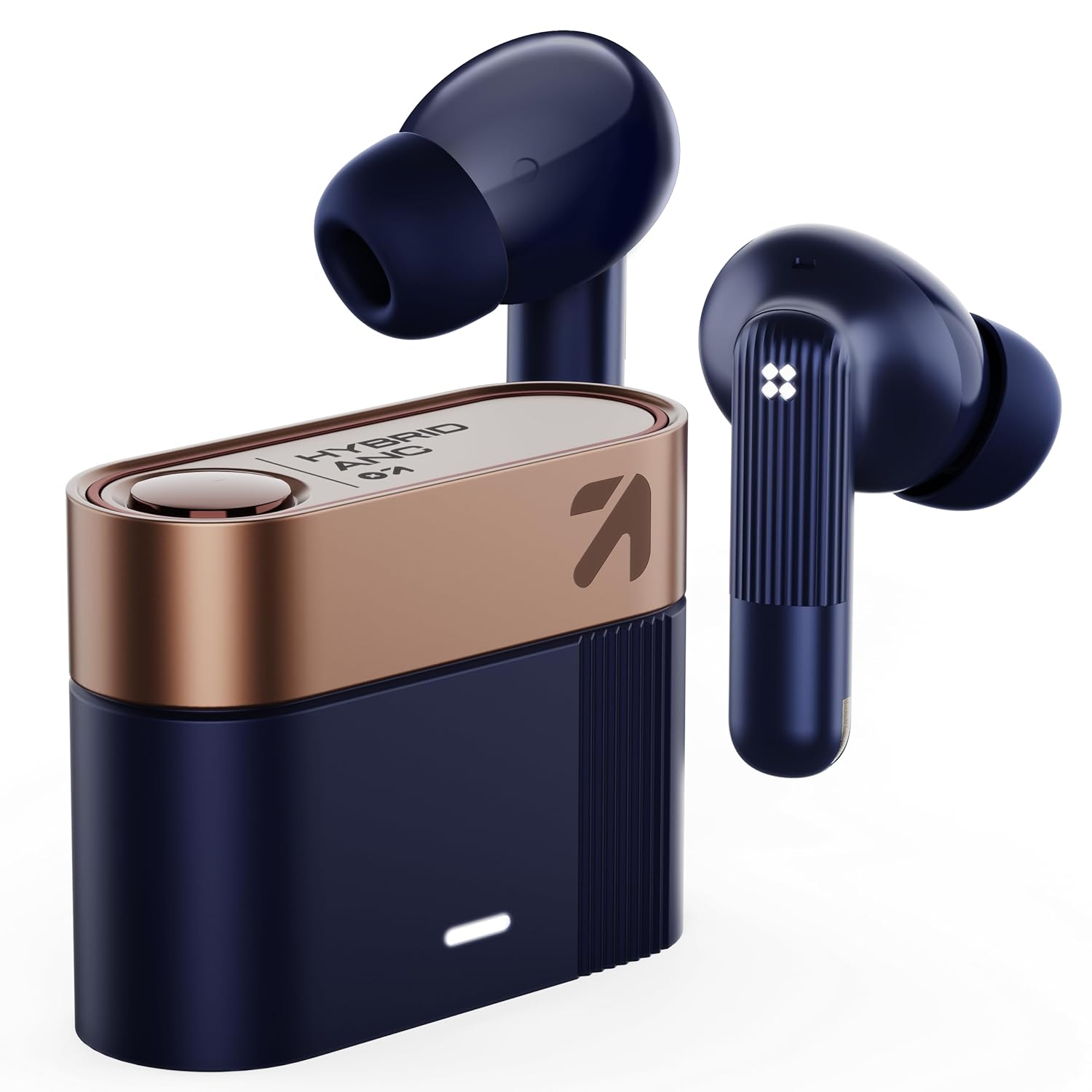
GOBOULT Newly Launched Earl TWS Earbuds with Hybrid ANC (Upto 50dB), 10mm Dual Drivers, Upto 50H Playtime in Ear Earbuds, App Support, Spatial Audio, IPX5, Dual Device Pairing, TWS (Sapphire Blue)